Radial Blobs
Radial Blobs tiles smooth radial bumps on a regular grid around and along the surface. Each cell is a symmetric bulge you can sharpen, pinch into points, or round off. Hex Grid offsets every other row for a honeycomb layout without changing the underlying column and row counts.
Preview
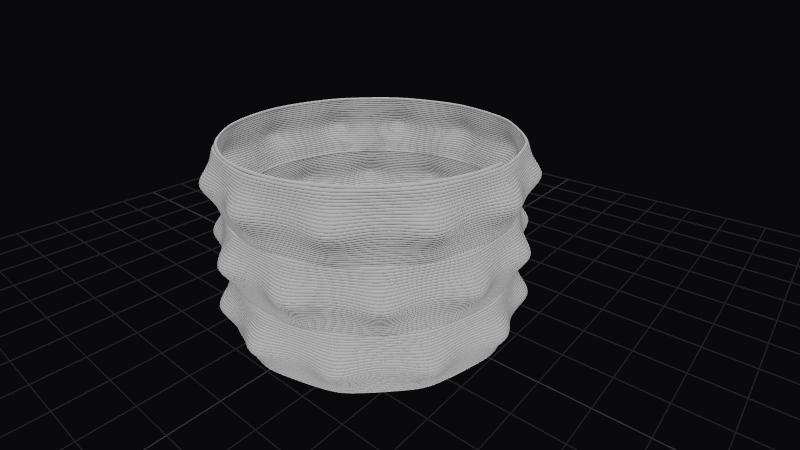
Effect Controls
Interactive preview is available in the interactive reader.
Parameters
Columns- Blob centers around the circumference (1–30).
Bulge (mm)- Maximum outward displacement per blob (0–10 mm).
Rows- Vertical bands of blobs along height (1–50).
Sharpness- Edge falloff of each bump; lower is softer, higher is tighter (0.05–2).
Pinch to Round- Cross-section from pointed dome at 0 to fuller round at 1 (0–1).
Hex Grid- When enabled, staggers alternating rows for a hexagonal arrangement (boolean).
Spiral (°)- Progressive rotation of the pattern with height (−1800–1800).
How It Works
Bumps are generated from a localized radial profile repeated in UV space. Width tightens or broadens the falloff so neighbors interact more or less; Pinch to Round skews the vertical profile of each bump. Hex Grid shifts every other row by half a column so the tiling matches a hex lattice visually while still using the same frequency parameters.