Echo Rings
Drop a pebble into still water and watch the ripples spread. Echo Rings does exactly that -- but with multiple pebbles at random positions, each radiating concentric circles that overlap and interfere. The result is a mesmerizing water-ripple displacement that looks alive on curved surfaces.
Preview
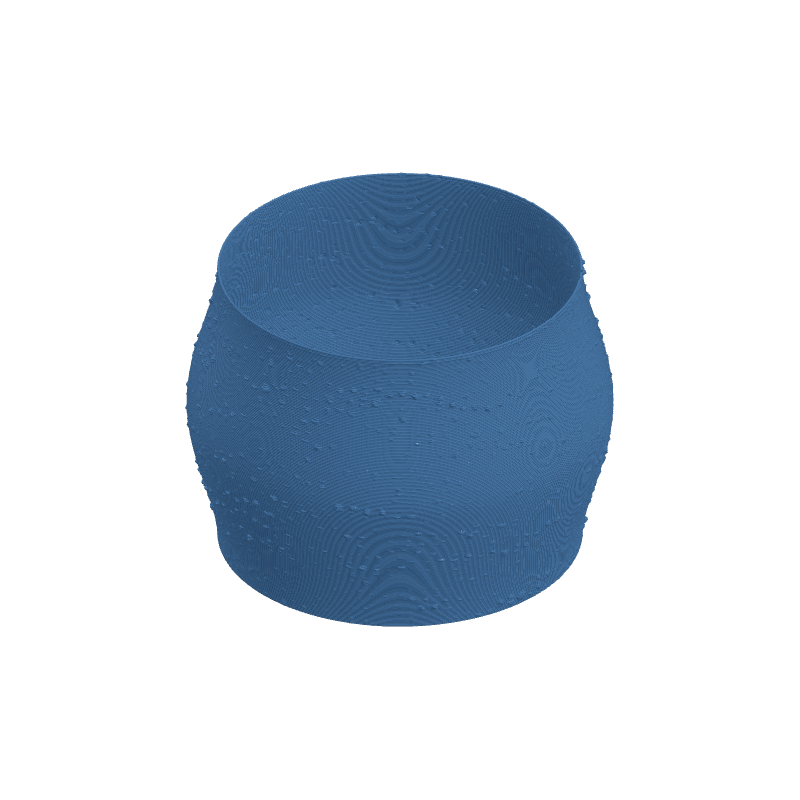
Effect Controls
Interactive preview is available in the interactive reader.
Parameters
Center Count- Number of "pebble drops" -- each one spawns its own set of expanding rings.
Ring Density- How many rings radiate from each center. High density creates tight, record-groove-like ridges.
Fade- How quickly rings lose intensity with distance. High fade confines rings close to their source; low fade lets them echo across the entire surface.
Ring Width- Stroke width of each individual ring. Thicker rings create bold bands; thinner rings feel etched.
Blur- Softens ring edges for a dreamy, out-of-focus ripple look.
Seed- Repositions all the ring centers. Each seed tells a different story of where the pebbles fell.
Resolution- Texture resolution in pixels. Higher res captures the fine detail between closely packed rings.
Ratio- Aspect ratio of the texture map. Adjust so rings stay circular on your UV layout.
Depth (mm)- Ring displacement depth. Positive for raised ripples, negative for etched grooves.
Tile U / Tile V- Tile the ripple field around (U) and along height (V) for endless pond-surface coverage.
Rotation- Rotates the UV mapping of the ring field.
Width Gain- Varies line width with ring brightness -- makes rings feel more three-dimensional.
Flow Gain- Modulates material flow so ring peaks get extra filament for pronounced ridges.