Diamond Bloom
Flowers meet geometry. Diamond Bloom scatters diamond-shaped petals around bloom centers, creating patterns that sit somewhere between a kaleidoscope and a wildflower meadow. The petals overlap and interlock, and the result printed in vase mode looks like nature tried to grow crystals.
Preview
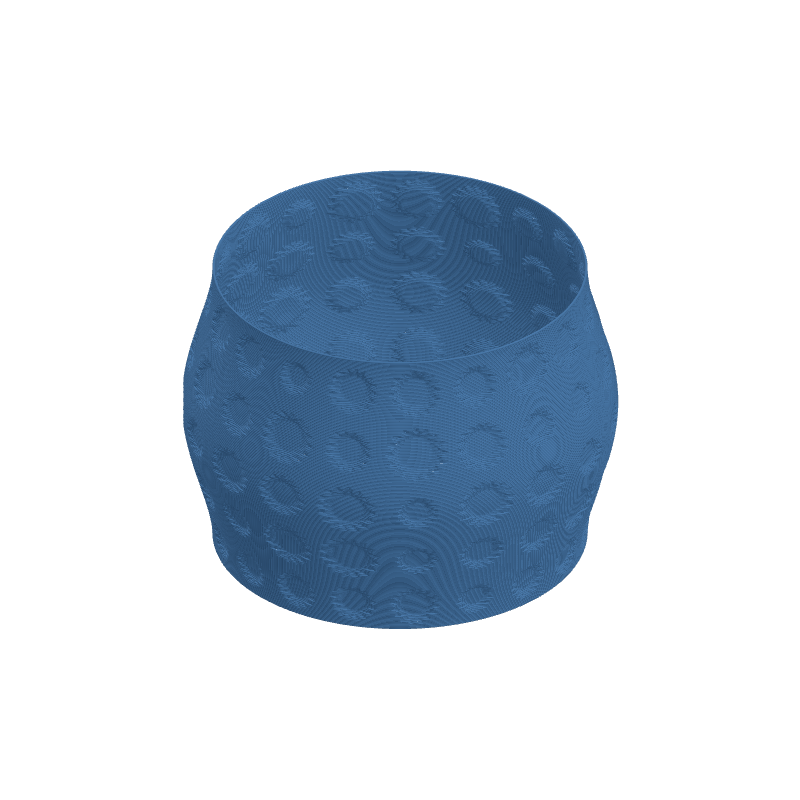
Effect Controls
Interactive preview is available in the interactive reader.
Parameters
Count- Number of bloom centers scattered across the texture. More centers = denser floral field.
Fill- How packed the bloom elements are. High fill values crowd petals together for lush coverage.
Petal Overlap- Controls how much petals spill into each other. Higher overlap produces denser, more intricate flower heads.
Bloom Size- Radius of each bloom cluster. Bigger blooms dominate the surface; smaller ones create delicate scatter.
Blur- Softens the petal edges. A little blur makes the diamonds feel more organic, less crystalline.
Seed- Shuffles the bloom arrangement. Try different seeds to find your favorite garden layout.
Resolution- Texture resolution in pixels. Bump this up if your petals look jagged.
Ratio- Aspect ratio of the texture. Adjust to prevent stretched blooms on non-square mappings.
Depth (mm)- How far blooms push the surface outward. Negative values carve petal-shaped valleys instead.
Tile U / Tile V- Repeats the bloom field around (U) and along height (V). Increase for all-over floral wallpaper.
Rotation- Rotates the entire bloom field on the UV map.
Width Gain- Thickens extrusion lines where the bloom texture is bright -- emphasizes petal ridges.
Flow Gain- Pushes more material into bright regions for raised, tactile petal surfaces.