Knurling
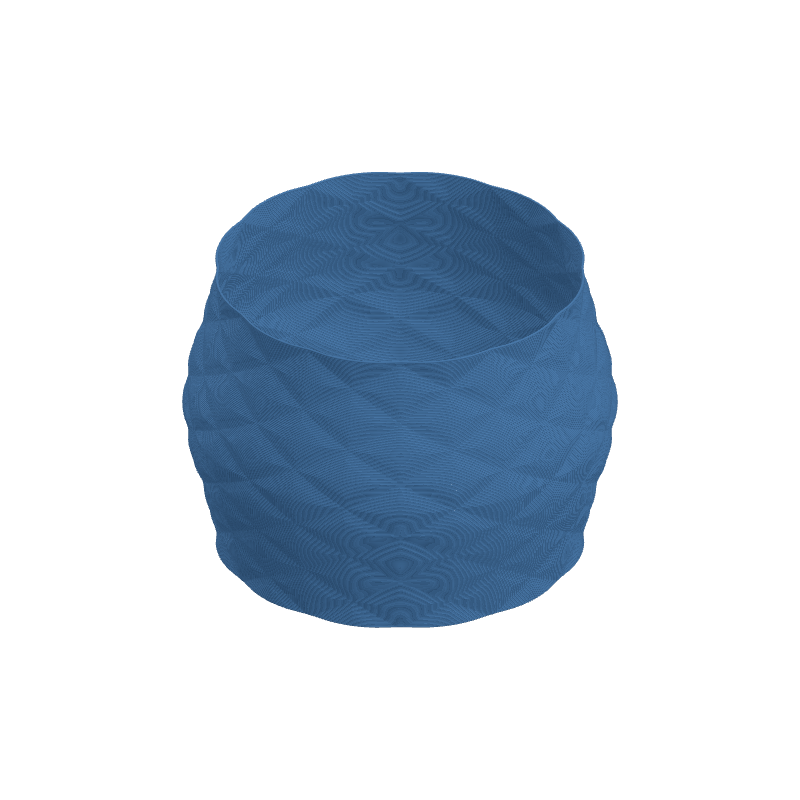
Produces a classic knurled surface texture -- a repeating grid of diamond-shaped
pyramids formed by two sets of diagonal grooves crossing at opposing angles. This
is the same texture found on metal tool handles, adjustment knobs, thumbscrews,
and industrial grip surfaces.
Diamond Size controls the overall density of the pattern. Ratio (W:H)
lets you stretch or squish the diamonds: at 1.0 the grid cells are square
(equal count of columns and rows), below 1.0 you get fewer rows (taller cells),
and above 1.0 you get more rows (shorter, wider cells).
Preview
Effect Controls
Interactive preview is available in the interactive reader.
Parameters
Parameter details are listed in the interactive docs.
How It Works
The knurling pattern is generated by multiplying two diagonal sine waves that cross
at opposing angles on the cylindrical surface:
- Wave A runs diagonally from lower-left to upper-right
- Wave B runs diagonally from upper-left to lower-right
Where both waves are positive (or both negative), the product is positive --
creating a raised peak. Where one is positive and the other negative, the product
is negative -- creating a valley. This naturally produces the characteristic
diamond/rhombus grid.
The Sharpness parameter applies a power-curve transformation that progressively
sharpens the sine peaks into pointed pyramids while flattening the transition
zones between peaks and valleys.