Glitch (Sample & Hold)
Glitch applies a sample-and-hold style to the modulation signal: the surface snaps to a staircase of held values instead of moving smoothly, giving a pixelated, digital, or corrupted scan-line look. You can tame it into clean facets or push jitter for chaotic artifacts. It is a strong choice for stylized props, retro aesthetics, and deliberate “broken” silhouettes.
Preview
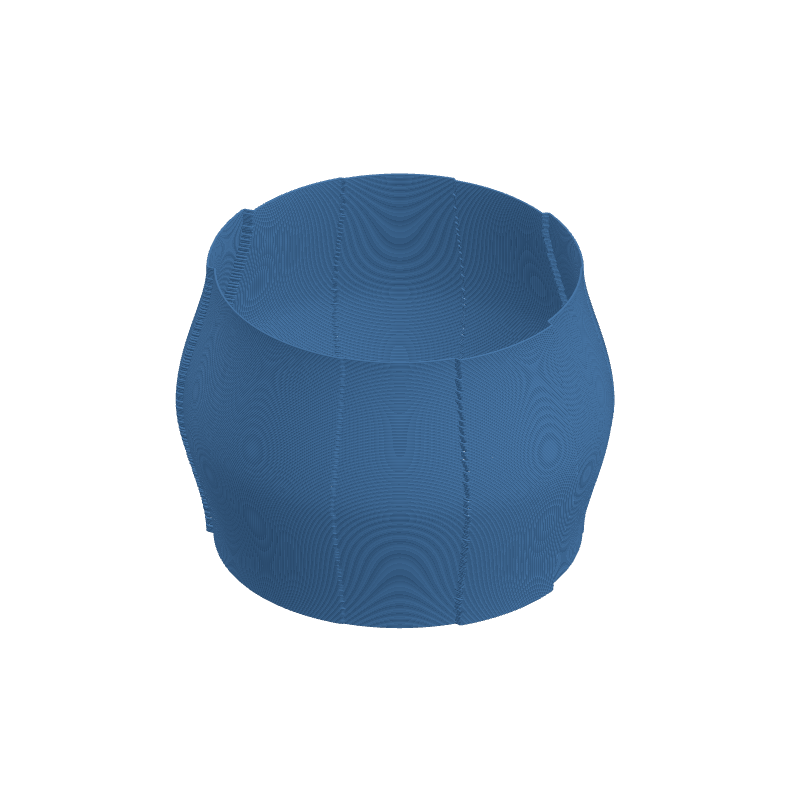
Effect Controls
Interactive preview is available in the interactive reader.
Parameters
Frequency- Underlying angular rate of the pattern before sampling (0.1–30). Sets how many transitions you would see if the signal were continuous; hold then quantizes it.
Amplitude- Strength of displacement in millimeters (0–10). Scales how far each held plateau moves the surface from the base shape.
Resample Rate- Number of discrete hold steps around the loop (2–100). Higher values yield finer steps; lower values produce chunky, obvious facets.
Jitter- Random perturbation of held values or timing (0–5). Adds irregularity so plateaus do not line up perfectly—use low values for orderly glitch, high for noisy chaos.
Phase- Angular offset in radians (0–6.28). Rotates where the staircase pattern starts on the perimeter.
How It Works
The effect generates a continuous function of angle, then passes it through a quantizer driven by the resample rate: only certain angular bins update while others repeat the last value, producing flat “steps” in the displacement field. Jitter injects noise into that process so repeats are less regular.
The result is geometrically a piecewise-constant modulation around the layer—visually similar to lowering the horizontal resolution of a displacement map wrapped around the part.