Flow Ridges
Flow Ridges adds vertical corrugations that travel around the mesh while drifting sideways with height. The result reads as laminar, ribbon-like channels rather than a static radial knurl. Flow Freq and Flow Strength control how much those channels meander as you move up the part.
Preview
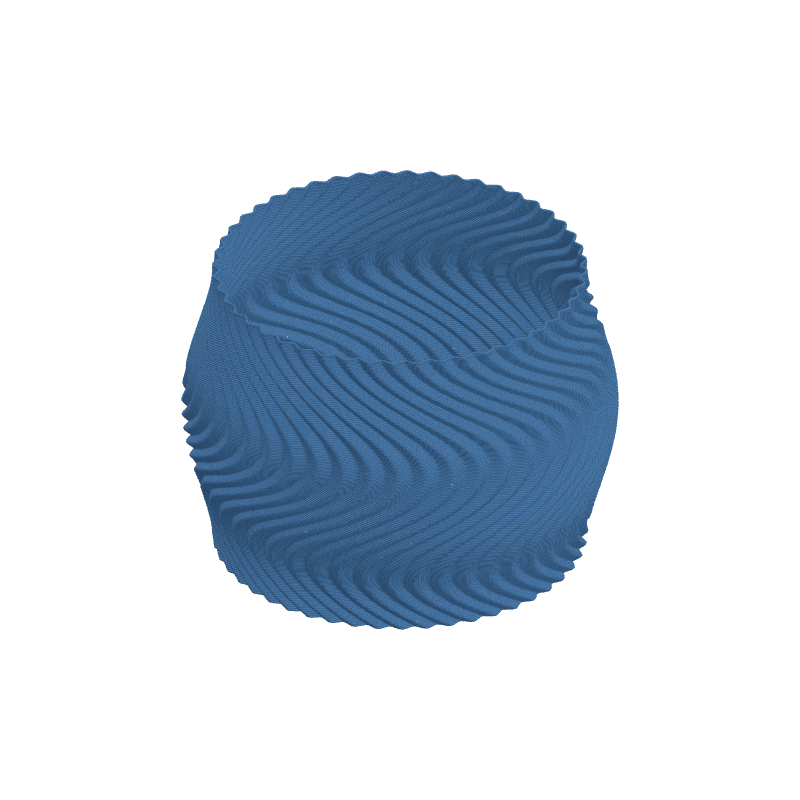
Effect Controls
Interactive preview is available in the interactive reader.
Parameters
Ridge Count- Number of vertical ridges distributed around the circumference (6–120).
Ridge Depth (mm)- How deep ridges cut into the surface along the normal (0–6 mm).
Flow Freq- How many lateral wave cycles occur over the height of the mesh (0–6).
Flow Strength- How far ridges drift sideways per flow cycle, as a fraction of ridge spacing (0–1).
Phase- Starting offset of the lateral flow in radians (0–6.28).
Sharpness- Ridge profile exponent; near 1 is sinusoidal, higher values sharpen peaks (0.5–4).
How It Works
Ridge positions are modulated by a phase that varies with height, so each vertical stripe follows a wavy path instead of a straight meridian. Sharpness reshapes the cross-section from gentle cosine valleys to tighter V-like grooves. Flow Strength scales how aggressively that height-based phase shifts the ridge index around the perimeter.