Tutorial 8: Expanding Spiral
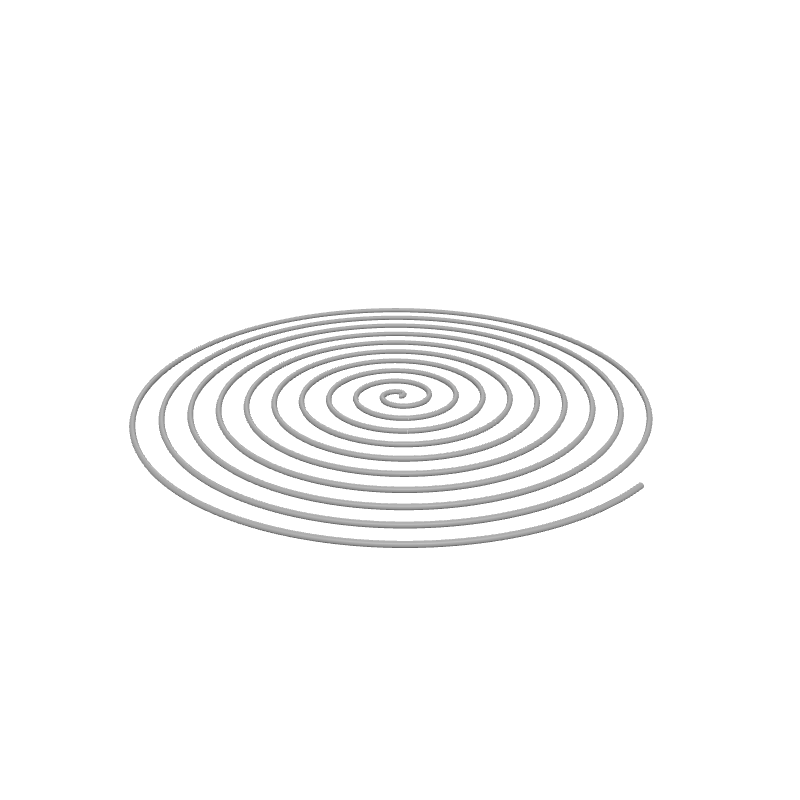
So far we've focused on 3D shapes built with Spiral Up or Stack Layers. In this quick tutorial you'll create a flat 2D spiral that grows outward from the centre — useful for bed-leveling tests, coasters, or aesthetic single-layer patterns.
What you'll learn
- How to use the Spiral geometry block (not to be confused with Spiral Up!)
- How to create flat single-layer patterns
- How to parameterise 2D geometry with Set Variable and viewport sliders
Prerequisites
- None — this is a standalone tutorial.
Step 1: Define your variables
We'll expose the spiral parameters as viewport sliders so you can reshape the pattern instantly.
Set Variable
Interactive preview is available in the interactive reader.
Step 1
Create two variables
Add two Set Variable blocks to the top of your Path Group:
- turns =
10
Enable Show in viewport on each one.
Step 2: Centre on the build plate
Translate
Interactive preview is available in the interactive reader.
Step 2
Add a Translate block
Drag a Translate block below the Set Variable blocks.
Set X to Bed Size X / 2 and Y to Bed Size Y / 2.
All remaining blocks go inside the Translate body.
Step 3: Draw the Spiral
The Spiral block creates a path that spirals outward on the XY plane. It starts at a given radius, expands over a number of turns, and ends at the target radius — all in a single layer.
Spiral
Interactive preview is available in the interactive reader.
Step 3
Add a Spiral block
From Geometry, drag a Spiral block into the Translate body.
Set Turns to the variable turns, Start Radius to 0, and End Radius to the variable endRadius.
The nozzle starts at the centre (radius 0) and spirals outward over 10 turns until it reaches 50 mm — all at the current Z height.
Complete block program
Full program — Tutorial 8
Interactive preview is available in the interactive reader.
Final block structure
| # | Block | Where | Values |
|---|---|---|---|
| 1 | Set Variable turns | Path Group | 10 · Show in viewport |
| 2 | Set Variable endRadius | Path Group | 50 · Show in viewport |
| 3 | Translate | Path Group | X = Bed Size X / 2, Y = Bed Size Y / 2 |
| 4 | ↳ Spiral | Inside Translate | Turns = turns, Start = 0, End = endRadius |
Outcome
You have created a fully parametric expanding spiral! The nozzle starts at the centre and spirals outward over the configured number of turns. Since there's no Spiral Up or Stack Layers, this is a single-layer print at Z = 0.
Load this tutorial
Interactive preview is available in the interactive reader.
Interactive preview is available in the interactive reader.
What's Next
Tutorial 9: Temperature Tower — Learn how to change printer settings on the fly to test different temperatures in a single print.