Noise Texture
Noise Texture documents the Pattern texture effect with the Noise & Micro built-in generator: fractal noise is rendered to an SVG heightmap, then wrapped around the mesh as displacement. Compared to the simpler Noise modulator, you get independent control over resolution, tiling, rotation, and optional force-field masking—grain, dunes, or alien terrain without importing bitmaps.
Preview
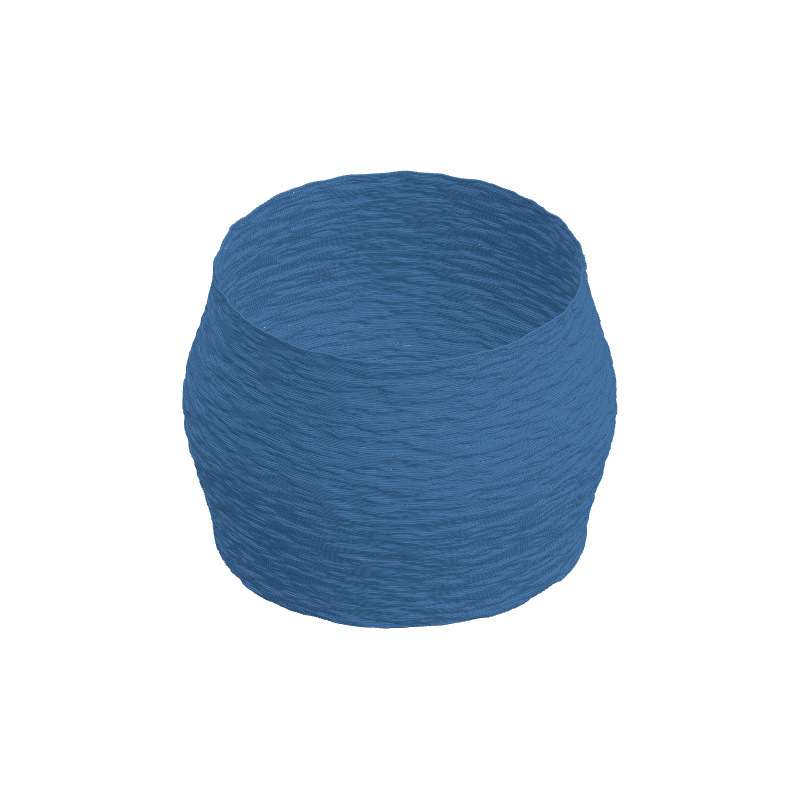
Effect Controls
Interactive preview is available in the interactive reader.
Parameters
Heightmap source- Use a built-in procedural pattern or an entry from the SVG library (discrete choice).
Pattern- Which built-in generator drives the texture; Noise & Micro is the fractal-noise family (category / preset).
Frequency- For Noise & Micro: base noise frequency mapped from pattern detail (0–1); low is broad, high is fine.
Contrast- Stretches the heightmap range for stronger peaks and valleys (0–1).
Blur- Softens the noise field for gentler displacement (0–1).
Seed- Deterministic randomization; change for a new field, keep for repeatability (0–999).
Resolution- Longest-edge pixel size of the generated map (256 / 512 / 1024 / 2048 px).
Ratio- Width-to-height aspect of the procedural canvas (0.25–4).
Depth (mm)- Displacement amplitude; positive pushes out, negative carves in (−20–20 mm).
Tile U / Tile V- Repeat the texture around the profile (U) and along height (V) (0.1–20 each).
Rotation (°)- Rotates the UV field of the pattern on the surface (0–360°).
Width Gain- Modulates extrusion line width from the heightmap (0–0.5).
Flow Gain- Modulates material flow from the heightmap for volumetric variation (0–0.3).
How It Works
The engine evaluates the selected pattern into a resolution-limited SVG, samples it as a bump heightmap, and applies that signal to the vase-mode surface. Frequency, Contrast, and Blur reshape the turbulence before it ever touches the mesh; Depth scales how strongly those values move the shell outward or inward.
Tile U and Tile V control how many times the texture repeats around the circumference versus up the model. Width Gain and Flow Gain optionally tie extrusion dynamics to the same field for subtle print texture. Force-field controls in the UI (when enabled) multiply the heightmap by a falloff so noise can be confined to bands or radial spots.