Line Pattern
Line Pattern adds rectangular teeth that protrude from the base contour—like gear cogs, crenellations, or ribbed grips. You can run the pattern around the circumference or along height, then tune width and sharpness to get anything from soft waves to hard stepped ridges.
Preview
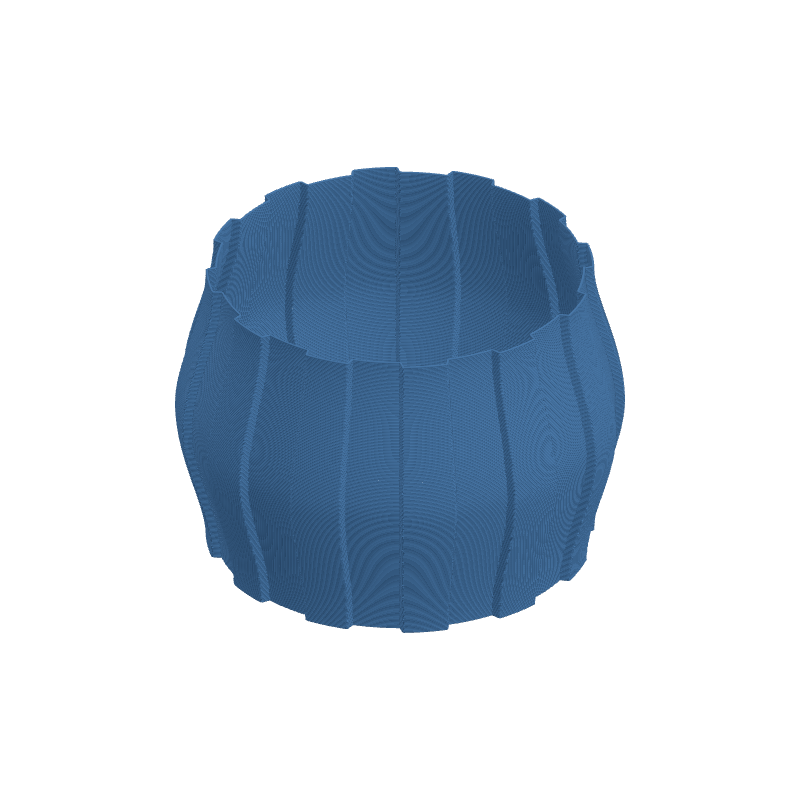
Effect Controls
Interactive preview is available in the interactive reader.
Parameters
Teeth Count- Number of teeth around the circumference (vertical) or along height (horizontal) (1–100).
Max Depth (mm)- Maximum outward displacement of each tooth (0–10 mm).
Variation- Depth variation between teeth (0–1); 0 is uniform, 1 allows full range.
Mode- Variation driver over height: Random, Wave, or Audio (discrete choice).
Variation Speed- How quickly the variation pattern changes along Z (0.1–10).
Width (%)- Tooth width as a fraction of one period; gap fills the rest (0.05–0.95).
Sharpness- Edge profile from smooth ramps (0) to abrupt steps (1).
Direction- Vertical teeth around the part vs. horizontal bands along height (Vertical / Horizontal).
Phase- Pattern offset: rotation for vertical orientation, height shift for horizontal (0–6.28).
How It Works
Teeth are carved by modulating the profile radius (vertical direction) or a height-varying displacement (horizontal direction) on a fixed count of repeating segments. Width sets how much of each period is solid tooth versus gap; Sharpness blends the transition from valley to peak.
Variation scales how much individual teeth deviate from Max Depth, driven by Mode and Variation Speed. Phase slides the whole pattern so you can align teeth with other effects or seams.