Bump Map
Interprets a grayscale texture as a height field and converts brightness into radial displacement. Lighter areas push the wall outward; darker areas pull it inward. Supports growth curves for varying effect intensity over height and spiral rotation for helical texture effects.
Preview
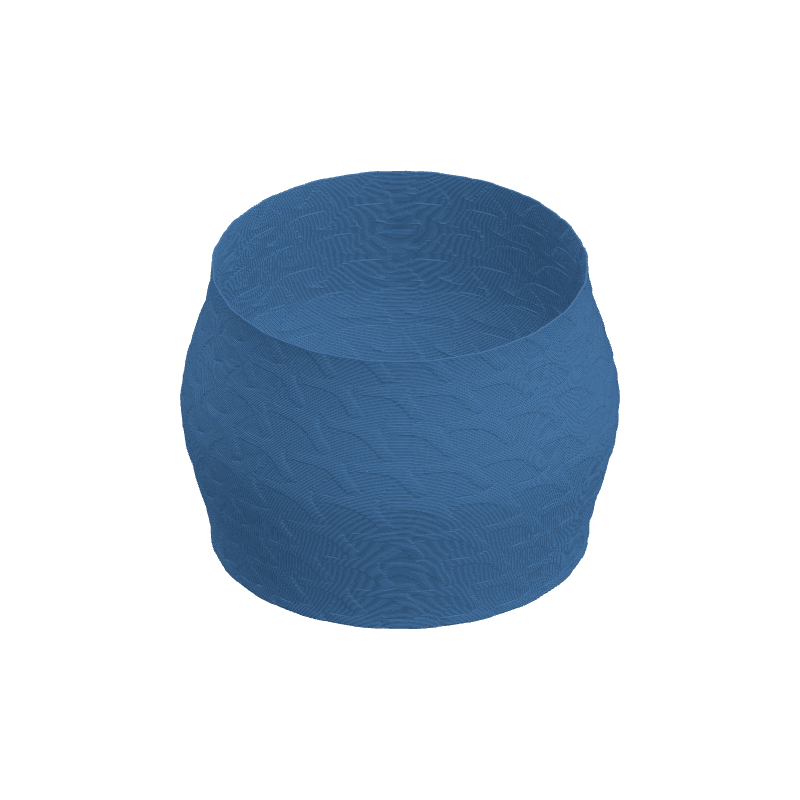
Effect Controls
Interactive preview is available in the interactive reader.
Parameters
Depth (mm)- Maximum displacement depth (0-10mm). Controls how far the surface pushes in/out based on texture brightness.
Scale U- Horizontal tiling scale (0.1-20). Higher values = more repetitions around the circumference.
Scale V- Vertical tiling scale (0.1-20). Higher values = more repetitions along the height.
Offset U- Horizontal texture offset (-1 to 1). Shifts the pattern around the circumference.
Offset V- Vertical texture offset (-1 to 1). Shifts the pattern up/down.
Rotation (°)- Rotate the texture pattern (-180° to +180°). Rotates the UV mapping.
Smoothing- Blurs the texture toward neutral (0-1). Higher values create smoother, less pronounced transitions.
Width Gain- Modulates extrusion width based on texture brightness (0-0.5). Creates thicker lines in bright areas.
Flow Gain- Modulates flow rate based on texture brightness (0-0.3). Creates subtle texture through extrusion changes.
Spiral (°)- Rotates the texture pattern as height increases (-360° to +360°). At 360°, the texture completes one full helical rotation from bottom to top.
Repeat- Enable texture tiling/repeating. When off, texture is clamped to edges.
Invert- Flip light/dark behavior. Inverts which areas push out vs. pull in.
Growth Curve
The Bump Map effect supports the Growth Curve editor, which allows you to vary the effect strength over height. This enables:
- Fading the texture in at the bottom or out at the top
- Creating intensity profiles that peak in the middle
- Inverting the effect at certain heights (negative values)
The growth curve multiplies the Depth value, so:
- Value 0 = normal depth (1x multiplier)
- Value +2 = maximum depth (3x multiplier)
- Value -2 = inverted depth (-1x multiplier)
Spiral Effect
The Spiral parameter creates a helical twist in the texture pattern as it progresses up the model. This is useful for:
- Creating twisted rope or cable textures
- Adding dynamic movement to patterns
- Simulating natural growth patterns
At 360°, the pattern completes one full rotation from bottom to top. Use negative values for counter-clockwise spirals.
Bump Map Library
The Bump Map effect includes a library of textures you can apply to your designs.
Built-in Textures
3dSynth comes with a collection of bundled bump maps ready to use:
- Abstract and geometric patterns
- Dot patterns in various densities
- Mid-century modern designs
- Gradient and wave textures
- Lattice and stripe patterns
Select any texture from the dropdown in the effect panel.
Adding Custom Bump Maps
You can add your own images to use as bump maps:
- In the Bump Map effect panel, click the Add button (or drag an image into the selector)
- Select a PNG, JPG, or WEBP image file
- The image is added to your library and becomes immediately available
Deleting Custom Bump Maps
To remove a user-added bump map:
- Select the bump map in the dropdown
- Click the Delete button (trash icon)
- Confirm the deletion
Open Folder (Desktop App)
In the desktop application, click Open Folder to view bump map files directly in your file explorer. This lets you:
- Add multiple images at once by copying them to the folder
- Organize your texture collection
- Back up or share custom bump maps
Storage locations:
| Platform | Location |
|---|---|
| Desktop (Windows) | %APPDATA%/3dSynth/bumpmaps/ |
| Desktop (Mac) | ~/Library/Application Support/3dSynth/bumpmaps/ |
| Web Browser | Browser localStorage (no file access) |